

FedEx Office Faxing: Practical Guidance for Businesses
What Is FedEx Office Faxing?
FedEx Office faxing is a service that lets you send and receive faxes without maintaining a dedicated fax machine or phone line. Instead, you use a FedEx Office location or an online portal to transmit documents to any fax number worldwide.
The service is designed for small‑to‑medium businesses, remote workers, and professionals who still need a reliable way to exchange signed contracts, medical forms, or government paperwork that requires a fax. Because the infrastructure is handled by FedEx, you avoid the cost of hardware, maintenance, and paper inventory.
How Does FedEx Office Faxing Work?
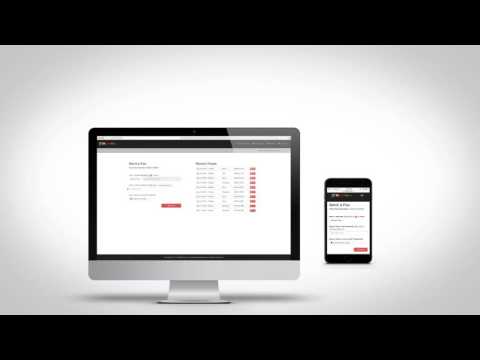
When you need to send a fax, you upload the document to the FedEx fax portal, enter the recipient’s fax number, and click “Send.” The system converts the digital file into a fax signal and delivers it through the traditional phone network. Incoming faxes are routed to your secure online inbox, where you can view, download, or forward them as needed.
For in‑person needs, you can visit any FedEx Office location, hand over the paper document, and a staff member will fax it for you. The service also supports scheduled faxes, bulk sending, and delivery confirmations, which are useful for compliance and tracking purposes.
Key Features and Benefits
- Online dashboard that shows sent and received faxes in real time.
- Unlimited inbound faxes for a flat monthly fee (optional based on plan).
- Secure storage of fax documents for up to 90 days.
- Integration with common cloud services such as Google Drive and Dropbox.
- Delivery reports and read receipts for audit trails.
These features translate into tangible benefits: you reduce hardware expenses, eliminate the need for dedicated phone lines, and gain better control over document flow. Because the service is operated by a nationwide network, you also get the reliability of a brand that handles high‑volume shipping and printing every day.
Typical Use Cases for FedEx Office Faxing
- Legal firms sending signed contracts or court filings.
- Healthcare providers exchanging patient intake forms that must meet HIPAA standards.
- Real‑estate agents transmitting purchase agreements and disclosures.
- Financial advisors delivering loan applications and compliance documents.
- Small businesses that need occasional fax capability without investing in equipment.
In each scenario, the ability to fax from a computer or mobile device while retaining a paper‑based audit trail is a crucial advantage. The service also helps organizations stay compliant with industries that still mandate fax transmission for certain documents.
Pricing Structure and Cost Considerations
FedEx Office offers tiered pricing based on the volume of pages you send each month. Below is a simplified comparison of the most common plans. Prices are illustrative; actual rates may vary by location and contract terms.
| Plan | Monthly Fee | Included Outbound Pages | Cost per Additional Page | Inbound Fax Limit |
|---|---|---|---|---|
| Basic | $10 | 50 | $0.20 | 20 inbound pages |
| Standard | $25 | 200 | $0.15 | Unlimited inbound |
| Premium | $45 | 500 | $0.10 | Unlimited inbound |
When evaluating cost, consider your average monthly fax volume, the need for unlimited inbound pages, and any additional services such as dedicated phone numbers or premium support. The Standard plan is often the sweet spot for most growing businesses, offering a balance between price and flexibility.
Setting Up and Managing Your Fax Account
Getting started is straightforward. After signing up on the FedEx Office website, you receive a unique fax number and login credentials for the online dashboard. From there, you can:
- Upload documents directly from your computer or cloud storage.
- Configure email notifications for inbound faxes.
- Set up user permissions for teams, ensuring only authorized staff can send or view faxes.
- Integrate the service with existing workflows using API keys (available on higher‑tier plans).
The dashboard also provides usage analytics, letting you track how many pages you’ve sent each month and identify opportunities to reduce costs.
Security, Reliability, and Compliance
Security is a top priority for any document‑transmission service. FedEx Office encrypts files during upload and stores them on secure servers with regular backups. For industries that require compliance—such as healthcare (HIPAA) and finance (FINRA)—the service can be configured to retain audit logs and enforce access controls.
Reliability stems from FedEx’s extensive network of physical locations and carrier-grade telecommunications infrastructure. In practice, this means you can expect high deliverability rates, minimal downtime, and quick resolution of any transmission errors.
Support and Customer Service Options
FedEx Office provides multiple channels for assistance:
- Phone support available 24/7 for urgent fax issues.
- Email ticketing system with a typical response time of under 24 hours.
- Live chat through the online portal during business hours.
- Extensive knowledge base covering setup, troubleshooting, and billing.
Premium customers can also request a dedicated account manager who helps with onboarding, custom integrations, and ongoing optimization.
Decision Checklist: Is FedEx Office Faxing Right for You?
- Do you need to fax documents regularly but lack a dedicated machine?
- Is your organization subject to regulations that still require fax transmission?
- Do you prefer a pay‑as‑you‑go model with predictable monthly fees?
- Will integration with cloud storage and existing workflows improve efficiency?
- Is 24/7 support important for your business operations?
If you answered “yes” to most of these questions, FedEx Office faxing is likely a good fit. For a deeper look at how the service can align with your specific business needs, you can explore more resources at www.gohugohq.com.